
Location-based clock-out reminders
Geofence time tracking that reminds employees instead of clocking secretly
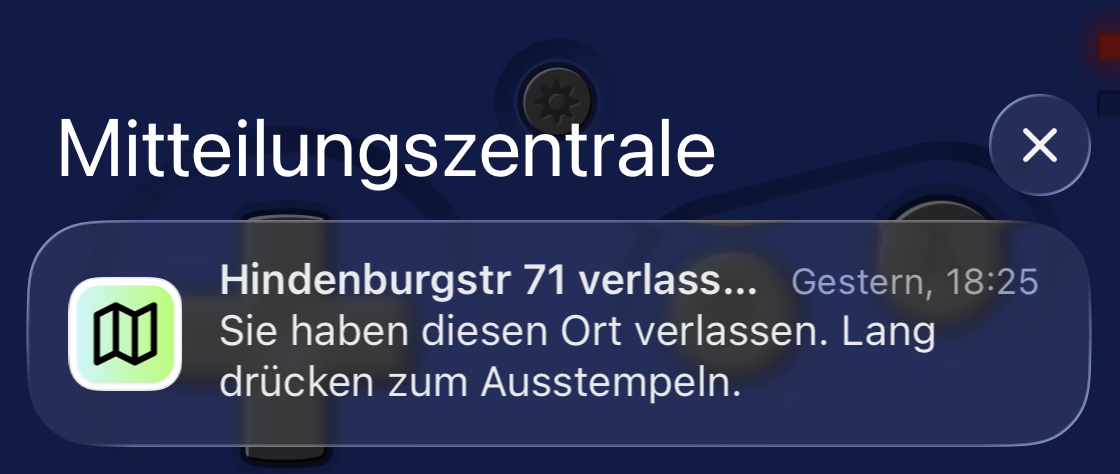
Toolbox records entering or leaving a configured job site as an event and sends a reminder. Clocking remains a deliberate button press, without a continuous location trail.
- Events when entering or leaving a configured work site
- An intentional action by the employee
- Open or unclear events remain reviewable
For trade businesses with employees and several active field jobs.
The everyday problem
Forgetting to clock out is common; hidden surveillance is not the answer
At the end of a job or on the way to the next site, time tracking is easy to forget. A location event provides context and a relevant reminder without turning it into supposedly exact working time.
The action is forgotten
Attention has moved to the next job while a time entry remains open.
Location is not proof
Arriving at or leaving a place does not reliably show when work actually began or ended.
Automation creates false precision
Unclear events should be reviewed instead of silently booked as correct time.
How it works
The geofence supports the employee; it does not replace them
The location event is saved with time and place and triggers a reminder. The actual working-time record remains a visible, intentional decision.
-
1
Configure the work site
The job uses a site address and a relevant surrounding area.
-
2
Detect an event
When the employee enters or leaves the configured area, the phone can record an event with time and location and show a local reminder.
-
3
Confirm the action
The employee chooses to clock out, add a note, or clarify the event later.
From the field to the office
Transparency even when a signal is unclear
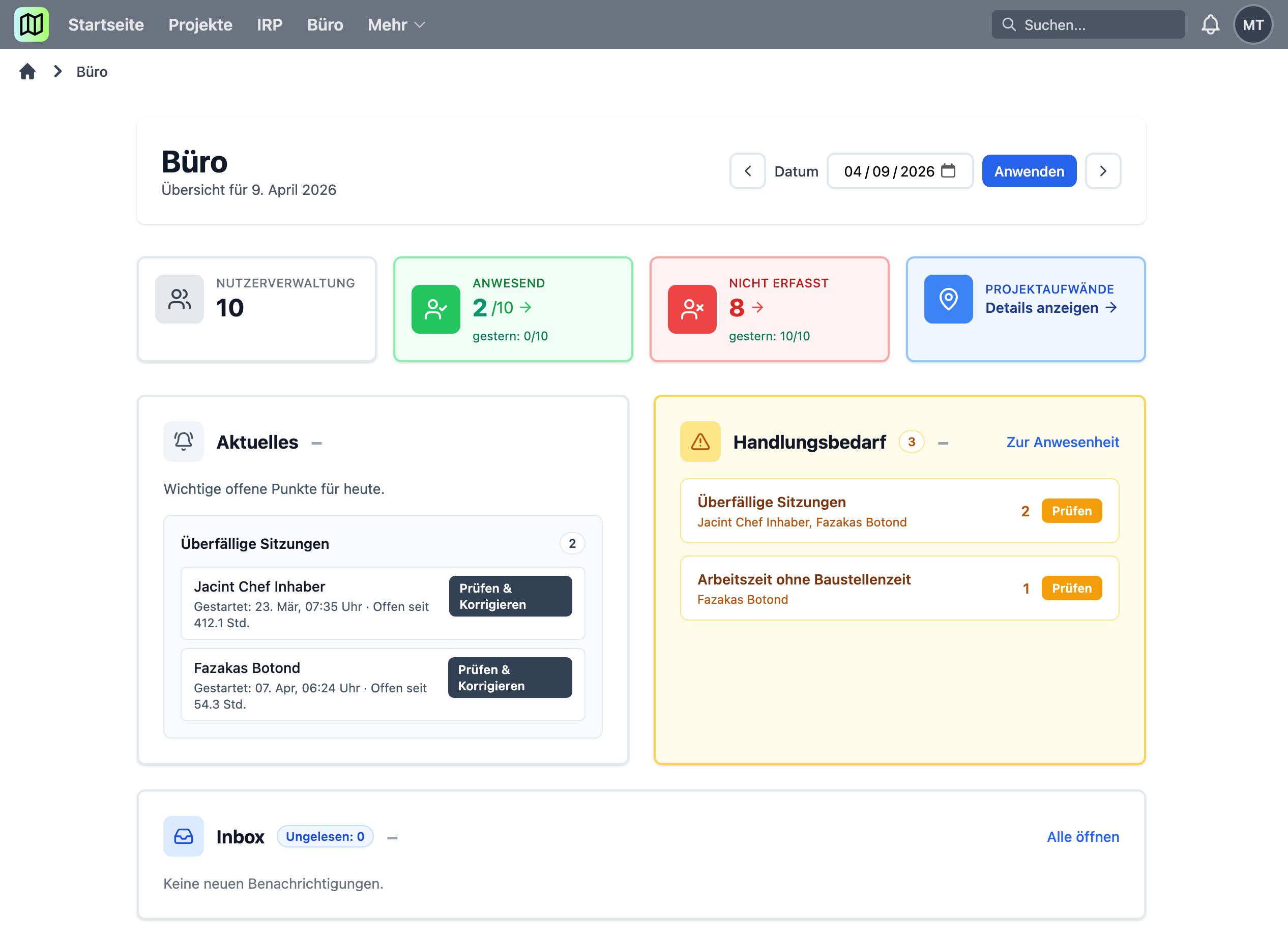
Location events can be missing or inaccurate because of the device, permissions, or environment. Those cases remain visible so they can be clarified with the employee instead of silently deriving working time from them.
- Location events and working-time records remain separate
- A situational reminder rather than a generic notification
- Open cases remain available for review and correction
Is Toolbox a good fit?
For businesses that want fewer forgotten entries and clear rules
A good fit when …
- ✓Employees occasionally forget to clock out after changing sites.
- ✓Location should serve as a reminder and review signal.
- ✓Transparency with employees matters more than hidden automation.
Probably not when …
- –You expect continuous live tracking of every employee.
- –Working time should be generated automatically without confirmation.
- –Required location permissions cannot be used at all.
Frequently asked questions
Clear answers to practical questions
Does the geofence clock employees out automatically?
No. It can trigger a reminder, while clocking out remains an intentional employee action.
Are employees tracked continuously?
No. With the necessary location permissions, Toolbox records individual events at configured work sites with time and location. A continuous location trail or live map is not the purpose of Toolbox.
Is geofencing always accurate to the metre?
No. Accuracy depends on the phone, operating system, permissions, and environment. Intentional time capture remains essential.
What happens when a location event is missing?
Working time is not invented automatically. Open or different information can be reviewed in the office.
Related topics
Useful next steps
Start small instead of launching a major project
Test geofence reminders with one crew
We will discuss useful reminders, required permissions, and a transparent process for reviewing unclear cases.
After confirmation, we will contact you personally. No automated sales process.
